From Tactical Tools to a Quiet Redefinition of First Response
A decade ago, a municipal drone program in Texas usually meant a small team, a locked cabinet, and a handful of specially trained officers who were called out when circumstances justified it. The drone was an accessory—useful, sometimes impressive, but peripheral to the ordinary rhythm of public safety.
That is no longer the case.
Across Texas, drones are being absorbed into the daily mechanics of emergency response. In a growing number of cities, they are no longer something an officer brings to a scene. They are something the city sends—often before the first patrol car, engine, or ambulance has cleared an intersection.
This shift is subtle, technical, and easily misunderstood. But it represents one of the most consequential changes in municipal public safety design in a generation.
The quiet shift from tools to systems
The defining change is not better cameras or longer flight times. It is program design.
Early drone programs were built around people: pilots, certifications, and equipment checklists. Today’s programs are built around systems—launch infrastructure, dispatch logic, real-time command centers, and policies that define when a drone may be used and, just as importantly, when it may not.
Cities like Arlington illustrate this evolution clearly. Arlington’s drones are not stored in trunks or deployed opportunistically. They launch from fixed docking stations, controlled through the city’s real-time operations center, and are sent to calls the way any other responder would be. The drone’s role is not to replace officers, but to give them something they rarely had before arrival: certainty.
Is someone actually inside the building? Is the suspect still there? Is the person lying in the roadway injured or already moving? These are small questions, but they shape everything that follows. In many cases, the presence of a drone overhead resolves a situation before physical contact ever occurs.
That pattern—early information reducing risk—is now being repeated, in different forms, across the state.
North Texas as an early laboratory
In North Texas, the progression from experimentation to normalization is especially visible.
Arlington’s program has become a reference point, not because it is flashy, but because it works. Drones are treated as routine assets, subject to policy, supervision, and after-action review. Their value is measured in response times and avoided escalations, not in flight hours.
Nearby, Dallas is navigating a more complex path. Dallas already operates one of the most active municipal drone programs in the state, but scale changes everything. Dense neighborhoods, layered airspace, multiple airports, and heightened civil-liberties scrutiny mean that Dallas cannot simply replicate what smaller cities have done.
Instead, Dallas appears to be doing something more consequential: deliberately embedding “Drone as First Responder” capability into its broader public-safety technology framework. Procurement language and public statements now describe drones verifying caller information while officers respond—a quiet but important acknowledgement that drones are becoming part of the dispatch process itself. If Dallas succeeds, it will establish a model for large, complex cities that have so far watched DFR from a distance.
Smaller cities have moved faster.
Prosper, for example, has embraced automation as a way to overcome limited staffing and long travel distances. Its program emphasizes speed—sub-two-minute arrivals made possible by automated docking stations that handle charging and readiness without human intervention. Prosper’s experience suggests that cities do not have to grow into DFR gradually; some can leap directly to system-level deployment.
Cities like Euless represent another important strand of adoption. Their programs are smaller, more cautious, and intentionally bounded. They launch drones to specific call types, collect experience, and adjust policy as they go. These cities matter because they demonstrate how DFR spreads laterally, city by city, through observation and imitation rather than mandates or statewide directives.
South Texas and the widening geography of DFR
DFR is not a North Texas phenomenon.
In the Rio Grande Valley, Edinburg has publicly embraced dispatch-driven drone response for crashes, crimes in progress, and search-and-rescue missions, including night operations using thermal imaging. In regions where heat, terrain, and distance complicate traditional response, the value of rapid aerial awareness is obvious.
Further west, Laredo has framed drones as part of a broader rapid-response network rather than a narrow policing tool. Discussions there extend beyond observation to include overdose response and medical support, pointing toward a future where drones do more than watch—they enable intervention while ground units close the gap.
Meanwhile, cities like Pearland have quietly done the hardest work of all: making DFR ordinary. Pearland’s early focus on remote operations and program governance is frequently cited by other cities, even when it draws little public attention. Its lesson is simple but powerful: the more boring a drone program becomes, the more likely it is to scale.
What 2026 will likely bring
By 2026, Texas municipalities will no longer debate drones in abstract terms. The conversation will shift to coverage, performance, and restraint.
City leaders will ask how much of their jurisdiction can be reached within two or three minutes, and what it costs to achieve that standard. DFR coverage maps will begin to resemble fire-station service areas, and response-time percentiles will replace anecdotal success stories.
Dispatch ownership will matter more than pilot skill. The most successful programs will be those in which drones are managed as part of the call-taking and response ecosystem, not as specialty assets waiting for permission. Pilots will become supervisors of systems, not just operators of aircraft.
At the same time, privacy will increasingly determine the pace of expansion. Cities that define limits early—what drones will never be used for, how long video is kept, who can access it—will move faster and with less friction. Those that delay these conversations will find themselves stalled, not by technology, but by public distrust.
Federal airspace rules will continue to separate tactical programs from scalable ones. Dense metro areas will demand more sophisticated solutions—automated docks, detect-and-avoid capabilities, and carefully designed flight corridors. The cities that solve these problems will not just have better drones; they will have better systems.
And perhaps most telling of all, drones will gradually fade from public conversation. When residents stop noticing them—when a drone overhead is no more remarkable than a patrol car passing by—the transformation will be complete.
A closing thought
Texas cities are not adopting drones because they are fashionable or futuristic. They are doing so because time matters, uncertainty creates risk, and early information saves lives—sometimes by prompting action, and sometimes by preventing it.
By 2026, the question will not be whether drones belong in municipal public safety. It will be why any city, given the chance to act earlier and safer, would choose not to.
Looking Ahead to 2026: When Drones Become Ordinary
By 2026, the most telling sign of success for municipal drone programs in Texas will not be innovation, expansion, or even capability. It will be normalcy.
The early years of public-safety drones were marked by novelty. A drone launch drew attention, generated headlines, and often triggered anxiety about surveillance or overreach. That phase is already fading. What is emerging in its place is quieter and far more consequential: drones becoming an assumed part of the response environment, much like radios, body cameras, or computer-aided dispatch systems once did.
The conversation will no longer revolve around whether a city has drones. Instead, it will focus on coverage and performance. City leaders will ask how quickly aerial eyes can reach different parts of the city, how often drones arrive before ground units, and what percentage of priority calls benefit from early visual confirmation. Response-time charts and service-area maps will replace anecdotes and demonstrations. In this sense, drones will stop being treated as technology and start being treated as infrastructure.
This shift will also clarify responsibility. The most mature programs will no longer center on individual pilots or specialty units. Ownership will move decisively toward dispatch and real-time operations centers. Drones will be launched because a call meets predefined criteria, not because someone happens to be available or enthusiastic. Pilots will increasingly function as system supervisors, ensuring compliance, safety, and continuity, rather than as hands-on operators for every flight.
At the same time, restraint will become just as important as reach. Cities that succeed will be those that articulate, early and clearly, what drones are not for. By 2026, residents will expect drone programs to come with explicit boundaries: no routine patrols, no generalized surveillance, no silent expansion of mission. Programs that fail to define those limits will find themselves stalled, regardless of how capable the technology may be.
Federal airspace rules and urban complexity will further separate casual programs from durable ones. Large cities will discover that scaling drones is less about buying more aircraft and more about solving coordination problems—airspace, redundancy, automation, and integration with other systems. The cities that work through those constraints will not just fly more often; they will fly predictably and defensibly.
And then, gradually, the attention will drift away.
When a drone arriving overhead is no longer remarkable—when it is simply understood as one of the first tools a city sends to make sense of an uncertain situation—the transition will be complete. The public will not notice drones because they will no longer symbolize change. They will symbolize continuity.
That is the destination Texas municipalities are approaching: not a future where drones dominate public safety, but one where they quietly support it—reducing uncertainty, improving judgment, and often preventing escalation precisely because they arrive early and ask the simplest question first: What is really happening here?
By 2026, the most advanced drone programs in Texas will not feel futuristic at all. They will feel inevitable.
Excel, SQL Server, Power BI — With AI Doing the Heavy Lifting
A collaboration between Lewis McLain & AI
Introduction: The Skill That Now Matters Most
The most important analytical skill today is no longer memorizing syntax, mastering a single tool, or becoming a narrow specialist.
The must-have skill is knowing how to direct intelligence.
In practice, that means combining:
Excel for thinking, modeling, and scenarios
SQL Server for structure, scale, and truth
Power BI for communication and decision-making
AI as the teacher, coder, documenter, and debugger
This is not about replacing people with AI. It is about finally separating what humans are best at from what machines are best at—and letting each do their job.
1. Stop Explaining. Start Supplying.
One of the biggest mistakes people make with AI is trying to explain complex systems to it in conversation.
That is backward.
The Better Approach
If your organization has:
an 80-page budget manual
a cost allocation policy
a grant compliance guide
a financial procedures handbook
even the City Charter
Do not summarize it for AI. Give AI the document.
Then say:
“Read this entire manual. Summarize it back to me in 3–5 pages so I can confirm your understanding.”
This is where AI excels.
AI is extraordinarily good at:
absorbing long, dense documents
identifying structure and hierarchy
extracting rules, exceptions, and dependencies
restating complex material in plain language
Once AI demonstrates understanding, you can say:
“Assume this manual governs how we budget. Based on that understanding, design a new feature that…”
From that point on, AI is no longer guessing. It is operating within your rules.
This is the fundamental shift:
Humans provide authoritative context
AI provides execution, extension, and suggested next steps
You will see this principle repeated throughout this post and the appendices—because everything else builds on it.
2. The Stack Still Matters (But for Different Reasons Now)
AI does not eliminate the need for Excel, SQL Server, or Power BI. It makes them far more powerful—and far more accessible.
Excel — The Thinking and Scenario Environment
Excel remains the fastest way to:
test ideas
explore “what if” questions
model scenarios
communicate assumptions clearly
What has changed is not Excel—it is the burden placed on the human.
You no longer need to:
remember every formula
write VBA macros from scratch
search forums for error messages
AI already understands:
Excel formulas
Power Query
VBA (Visual Basic for Applications, Excel’s automation language)
You can say:
“Write an Excel model with inputs, calculations, and outputs for this scenario.”
AI will:
generate the formulas
structure the workbook cleanly
comment the logic
explain how it works
If something breaks:
AI reads the error message
explains why it occurred
fixes the formula or macro
Excel becomes what it was always meant to be: a thinking space, not a memory test.
SQL Server — The System of Record and Truth
SQL Server is where analysis becomes reliable, repeatable, and scalable.
It holds:
historical data (millions of records are routine)
structured dimensions
consistent definitions
auditable transformations
Here is the shift AI enables:
You do not need to be a syntax expert.
SQL (Structured Query Language) is something AI already understands deeply.
You can say:
“Create a SQL view that allocates indirect costs by service hours. Include validation queries.”
AI will:
write the SQL
optimize joins
add comments
generate test queries
flag edge cases
produce clear documentation
AI can also interpret SQL Server error messages, explain them in plain English, and rewrite the code correctly.
This removes one of the biggest barriers between finance and data systems.
SQL stops being “IT-only” and becomes a shared analytical language, with AI translating analytical intent into executable code.
Power BI — Where Decisions Happen
Power BI is the communication layer: dashboards, trends, drilldowns, and monitoring.
It relies on DAX (Data Analysis Expressions), the calculation language used by Power BI.
Here is the key reassurance:
AI already understands DAX extremely well.
DAX is:
rule-based
pattern-driven
language-like
This makes it ideal for AI assistance.
You do not need to memorize DAX syntax. You need to describe what you want.
For example:
“I want year-over-year change, rolling 12-month averages, and per-capita measures that respect slicers.”
AI can:
write the measures
explain filter context
fix common mistakes
refactor slow logic
document what each measure does
Power BI becomes less about struggling with formulas and more about designing the right questions.
3. AI as the Documentation Engine (Quietly Transformational)
Documentation is where most analytical systems decay.
Excel models with no explanation
SQL views nobody understands
Macros written years ago by someone who left
Reports that “work” but cannot be trusted
AI changes this completely.
SQL Documentation
AI can:
add inline comments to SQL queries
write plain-English descriptions of each view
explain table relationships
generate data dictionaries automatically
You can say:
“Document this SQL view so a new analyst understands it.”
And receive:
a clear narrative
assumptions spelled out
warnings about common mistakes
Excel & Macro Documentation
AI can:
explain what each worksheet does
document VBA macros line-by-line
generate user instructions
rewrite messy macros into cleaner, documented code
Recently, I had a powerful but stodgy Excel workbook with over 1.4 million formulas. AI read the entire file, explained the internal logic accurately, and rewrote the system in SQL with a few hundred well-documented lines—producing identical results.
Documentation stops being an afterthought. It becomes cheap, fast, and automatic.
4. AI as Debugger and Interpreter
One of AI’s most underrated strengths is error interpretation.
AI excels at:
reading cryptic error messages
identifying likely causes
suggesting fixes
explaining failures in plain language
You can copy-paste an error message without comment and say:
“Explain this error and fix the code.”
This applies to:
Excel formulas
VBA macros
SQL queries
Power BI refresh errors
DAX logic problems
Hours of frustration collapse into minutes.
5. What Humans Still Must Do (And Always Will)
AI is powerful—but it is not responsible for outcomes.
Humans must still:
define what words mean (“cost,” “revenue,” “allocation”)
set policy boundaries
decide what is reasonable
validate results
interpret implications
make decisions
The human role becomes:
director
creator
editor
judge
translator
AI does not replace judgment. It amplifies disciplined judgment.
6. Why This Matters Across the Organization
For Managers
Faster insight
Clearer explanations
Fewer “mystery numbers”
Greater confidence in decisions
For Finance Professionals
Less time fighting tools
More time on policy, tradeoffs, and risk
Stronger documentation and audit readiness
For IT Professionals
Cleaner specifications
Fewer misunderstandings
Better separation of logic and presentation
More maintainable systems
This is not a turf shift. It is a clarity shift.
7. The Real Skill Shift
The modern analyst does not need to:
memorize every function
master every syntax rule
become a full-time programmer
The modern analyst must:
ask clear questions
supply authoritative context
define constraints
validate outputs
communicate meaning
AI handles the rest.
Conclusion: Intelligence, Directed
Excel, SQL Server, and Power BI remain the backbone of serious analysis—not because they are trendy, but because they mirror how thinking, systems, and decisions actually work.
AI changes how we use them:
it reads the manuals
writes the code
documents the logic
fixes the errors
explains the results
Humans provide direction. AI provides execution.
Those who learn to work this way will not just be more efficient—they will be more credible, more influential, and more future-proof.
Appendix A
A Practical AI Prompt Library for Finance, Government, and Analytical Professionals
This appendix is meant to be used, not admired.
These prompts reflect how professionals actually work: with rules, constraints, audits, deadlines, and political consequences.
You are not asking AI to “be smart.” You are directing intelligence.
“Read the attached document in full. Treat it as authoritative. Summarize the structure, rules, definitions, exceptions, and dependencies. Do not add assumptions. I will confirm your understanding.”
Why this matters
Eliminates guessing
Aligns AI with your institutional reality
Prevents hallucinated rules
A.2 Excel Modeling Prompts
Scenario Model
“Design an Excel workbook with Inputs, Calculations, and Outputs tabs. Use named ranges. Include scenario toggles and validation checks that confirm totals tie out.”
Formula Debugging
“This Excel formula returns an error. Explain why, fix it, and rewrite it in a clearer form.”
Macro Creation
“Write a VBA macro that refreshes all data connections, recalculates, logs a timestamp, and alerts the user if validation checks fail. Comment every section.”
Documentation
“Explain this Excel workbook as if onboarding a new analyst. Describe what each worksheet does and how inputs flow to outputs.”
A.3 SQL Server Prompts
View Creation
“Create a SQL view that produces monthly totals by City and Department. Grain must be City-Month-Department. Exclude void transactions. Add comments and validation queries.”
Performance Refactor
“Refactor this SQL query for performance without changing results. Explain what you changed and why.”
Error Interpretation
“Here is a SQL Server error message. Explain it in plain English and fix the query.”
Documentation
“Document this SQL schema so a new analyst understands table purpose, keys, and relationships.”
A.4 Power BI / DAX Prompts
(DAX = Data Analysis Expressions, the calculation language used by Power BI — a language AI already understands deeply.)
Measure Creation
“Create DAX measures for Total Cost, Cost per Capita, Year-over-Year Change, and Rolling 12-Month Average. Explain filter context for each.”
Debugging
“This DAX measure returns incorrect results when filtered. Explain why and correct it.”
Model Review
“Review this Power BI data model and identify risks: ambiguous relationships, missing dimensions, or inconsistent grain.”
A.5 Validation & Audit Prompts
Validation Suite
“Create validation queries that confirm totals tie to source systems and flag variances greater than 0.1%.”
Audit Explanation
“Explain how this model produces its final numbers in language suitable for auditors.”
A.6 Training & Handoff Prompts
Training Guide
“Create a training guide for an internal analyst explaining how to refresh, validate, and extend this model safely.”
Institutional Memory
“Write a ‘how this system thinks’ document explaining design philosophy, assumptions, and known limitations.”
Key Principle
Good prompts don’t ask for brilliance. They provide clarity.
Appendix B
How to Validate AI-Generated Analysis Without Becoming Paranoid
AI does not eliminate validation. It raises the bar for it.
The danger is not trusting AI too much. The danger is trusting anything without discipline.
B.1 The Rule of Independent Confirmation
Every important number must:
tie to a known source, or
be independently recomputable
If it cannot be independently confirmed, it is not final.
B.2 Validation Layers (Use All of Them)
Layer 1 — Structural Validation
Correct grain (monthly vs annual)
No duplicate keys
Expected row counts
Layer 2 — Arithmetic Validation
Subtotals equal totals
Allocations sum to 100%
No unexplained residuals
Layer 3 — Reconciliation
Ties to GL, ACFR, payroll, ridership, etc.
Same totals across tools (Excel, SQL, Power BI)
Layer 4 — Reasonableness Tests
Per-capita values plausible?
Sudden jumps explainable?
Trends consistent with known events?
AI can help generate all four layers, but humans must decide what “reasonable” means.
B.3 The “Explain It Back” Test
One of the strongest validation techniques:
“Explain how this number was produced step by step.”
If the explanation:
is coherent
references known rules
matches expectations
You’re on solid ground.
If not, stop.
B.4 Change Detection
Always compare:
this month vs last month
current version vs prior version
Ask AI:
“Identify and explain every material change between these two outputs.”
This catches silent errors early.
B.5 What Validation Is Not
Validation is not:
blind trust
endless skepticism
redoing everything manually
Validation is structured confidence-building.
B.6 Why AI Helps Validation (Instead of Weakening It)
AI:
generates test queries quickly
explains failures clearly
documents expected behavior
flags anomalies humans may miss
AI doesn’t reduce rigor. It makes rigor affordable.
Appendix C
What Managers Should Ask For — and What They Should Stop Asking For
This appendix is for leaders.
Good management questions produce good systems. Bad questions produce busywork.
C.1 What Managers Should Ask For
“Show me the assumptions.”
If assumptions aren’t visible, the output isn’t trustworthy.
“How does this tie to official numbers?”
Every serious analysis must reconcile to something authoritative.
“What would change this conclusion?”
Good models reveal sensitivities, not just answers.
“How will this update next month?”
If refresh is manual or unclear, the model is fragile.
“Who can maintain this if you’re gone?”
This forces documentation and institutional ownership.
C.2 What Managers Should Stop Asking For
❌ “Just give me the number.”
Numbers without context are liabilities.
❌ “Can you do this quickly?”
Speed without clarity creates rework and mistrust.
❌ “Why can’t this be done in Excel?”
Excel is powerful—but it is not a system of record.
❌ “Can’t AI just do this automatically?”
AI accelerates work within rules. It does not invent governance.
C.3 The Best Managerial Question of All
“How confident should I be in this, and why?”
That question invites:
validation
explanation
humility
trust
It turns analysis into leadership support instead of technical theater.
Appendix D
Job Description: The Modern Analyst (0–3 Years Experience)
This job description reflects what an effective, durable analyst looks like today — not a unicorn, not a senior architect, and not a narrow technician.
This role assumes the analyst will work in an environment that uses Excel, SQL Server, Power BI, and AI tools as part of normal operations.
Position Title
Data / Financial / Business Analyst (Title may vary by organization)
Experience Level
Entry-level to 3 years of professional experience
Recent graduates encouraged to apply
Role Purpose
The Modern Analyst supports decision-making by:
transforming raw data into reliable information,
building repeatable analytical workflows,
documenting logic clearly,
and communicating results in ways leaders can trust.
This role is not about memorizing syntax or becoming a single-tool expert. It is about directing analytical tools — including AI — with clarity, discipline, and judgment.
Core Responsibilities
1. Analytical Thinking & Problem Framing
Translate business questions into analytical tasks
Clarify assumptions, definitions, and scope before analysis begins
Identify what data is needed and where it comes from
Ask follow-up questions when requirements are ambiguous
Build and maintain Power BI reports and dashboards
Use existing semantic models and measures
Create new measures using DAX (Data Analysis Expressions) with AI guidance
Ensure reports:
align with defined metrics
update reliably
are understandable to non-technical users
5. Documentation & Knowledge Transfer
Document:
Excel models
SQL queries
Power BI reports
Write explanations that allow another analyst to:
understand the logic
reproduce results
maintain the system
Use AI to accelerate documentation while ensuring accuracy
6. Validation & Quality Control
Reconcile outputs to authoritative sources
Identify anomalies and unexplained changes
Use validation checks rather than assumptions
Explain confidence levels and limitations clearly
7. Collaboration & Communication
Work with:
finance
operations
IT
management
Present findings clearly in plain language
Respond constructively to questions and challenges
Accept feedback and revise analysis as needed
Required Skills & Competencies
Analytical & Professional Skills
Curiosity and skepticism
Attention to detail
Comfort asking clarifying questions
Willingness to document work
Ability to explain complex ideas simply
Technical Skills (Baseline)
Excel (intermediate level or higher)
Basic SQL (SELECT, JOIN, GROUP BY)
Familiarity with Power BI or similar BI tools
Comfort using AI tools for coding, explanation, and documentation
Candidates are not expected to know everything on day one.
Preferred Qualifications
Degree in:
Finance
Accounting
Economics
Data Analytics
Information Systems
Engineering
Public Administration
Internship or project experience involving data analysis
Exposure to:
budgeting
forecasting
cost allocation
operational metrics
What Success Looks Like (First 12–18 Months)
A successful analyst in this role will be able to:
independently build and explain Excel models
write and validate SQL queries with AI assistance
maintain Power BI reports without breaking definitions
document their work clearly
flag issues early rather than hiding uncertainty
earn trust by being transparent and disciplined
What This Role Is Not
This role is not:
a pure programmer role
a dashboard-only role
a “press the button” reporting job
a role that values speed over accuracy
Why This Role Matters
Organizations increasingly fail not because they lack data, but because:
logic is undocumented
assumptions are hidden
systems are fragile
knowledge walks out the door
This role exists to prevent that.
Closing Note to Candidates
You do not need to be an expert in every tool.
You do need to:
think clearly,
communicate honestly,
learn continuously,
and use AI responsibly.
If you can do that, the tools will follow.
Appendix E
Interview Questions a Strong Analyst Should Ask
(And Why the Answers Matter)
This appendix is written for candidates — especially early-career analysts — who want to succeed, grow, and contribute meaningfully.
These are not technical questions. They are questions about whether the environment supports good analytical work.
A thoughtful organization will welcome these questions. An uncomfortable response is itself an answer.
1. Will I Have Timely Access to the Data I’m Expected to Analyze?
Why this matters
Analysts fail more often from lack of access than lack of ability.
If key datasets (such as utility billing, payroll, permitting, or ridership data) require long approval chains, partial access, or repeated manual requests, analysis stalls. Long delays force analysts to restart work cold, which is inefficient and demoralizing.
A healthy environment has:
clear data access rules,
predictable turnaround times,
and documented data sources.
2. Will I Be Able to Work in Focused Blocks of Time?
Why this matters
Analytical work requires concentration and continuity.
If an analyst’s day is fragmented by:
constant meetings,
urgent ad-hoc requests,
unrelated administrative tasks,
then even talented analysts struggle to make progress. Repeated interruptions over days or weeks force constant re-learning and increase error risk.
Strong teams protect at least some uninterrupted time for deep work.
3. How Often Are Priorities Changed Once Work Has Started?
Why this matters
Changing priorities is normal. Constant resets are not.
Frequent shifts without closure:
waste effort,
erode confidence,
and prevent analysts from seeing work through to completion.
A good environment allows:
exploratory work,
followed by stabilization,
followed by delivery.
Analysts grow fastest when they can complete full analytical cycles.
4. Will I Be Asked to Do Significant Work Outside the Role You’re Hiring Me For?
Why this matters
Early-career analysts often fail because they are overloaded with tasks unrelated to analysis:
ad-hoc administrative work,
manual data entry,
report formatting unrelated to insights,
acting as an informal IT support desk.
This dilutes skill development and leads to frustration.
A strong role respects analytical focus while allowing reasonable cross-functional exposure.
5. Where Will This Role Sit Organizationally?
Why this matters
Analysts thrive when they are close to:
decision-makers,
subject-matter experts,
and the business context.
Being housed in IT can be appropriate in some organizations, but analysts often succeed best when:
they are embedded in finance, operations, or planning,
with strong, cooperative support from IT, not ownership by IT.
Clear role placement reduces confusion about expectations and priorities.
6. What Kind of Support Will I Have from IT?
Why this matters
Analysts do not need IT to do their work for them — but they do need:
help with access,
guidance on standards,
and assistance when systems issues arise.
A healthy environment has:
defined IT support pathways,
mutual respect between analysts and IT,
and shared goals around data quality and security.
Adversarial or unclear relationships slow everyone down.
7. Will I Be Encouraged to Document My Work — and Given Time to Do So?
Why this matters
Documentation is often praised but rarely protected.
If analysts are rewarded only for speed and output, documentation becomes the first casualty. This creates fragile systems and makes handoffs painful.
Strong organizations:
value documentation,
allow time for it,
and recognize it as part of the job, not overhead.
8. How Will Success Be Measured in the First Year?
Why this matters
Vague success criteria create anxiety and misalignment.
A healthy answer includes:
skill development,
reliability,
learning the organization’s data,
and increasing independence over time.
Early-career analysts need space to learn without fear of being labeled “slow.”
9. What Happens When Data or Assumptions Are Unclear?
Why this matters
No dataset is perfect.
Analysts succeed when:
questions are welcomed,
assumptions are discussed openly,
and uncertainty is handled professionally.
An environment that discourages questions or punishes transparency leads to quiet errors and loss of trust.
10. Will I Be Allowed — and Encouraged — to Use Modern Tools Responsibly?
Why this matters
Analysts today learn and work using tools like:
Excel,
SQL,
Power BI,
and AI-assisted analysis.
If these tools are discouraged, restricted without explanation, or treated with suspicion, analysts are forced into inefficient workflows. In many cases, the latest versions with added features can prove better productivity. Is the organization more than 1-2 years behind in updating at the present time? What are the views of key players about AI?
Strong organizations focus on:
governance,
validation,
and responsible use — not blanket prohibition.
11. How Are Analytical Mistakes Handled?
Why this matters
Mistakes happen — especially while learning.
The question is whether the culture responds with:
learning and correction, or
blame and fear.
Analysts grow fastest in environments where:
mistakes are surfaced early,
corrected openly,
and used to improve systems.
12. Who Will I Learn From?
Why this matters
Early-career analysts need:
examples,
feedback,
and mentorship.
Even informal guidance matters.
A thoughtful answer shows the organization understands that analysts are developed, not simply hired.
Closing Note to Candidates
These questions are not confrontational. They are professional.
Organizations that welcome them are more likely to:
retain talent,
produce reliable analysis,
and build durable systems.
If an organization cannot answer these questions clearly, it does not mean it is a bad place — but it may not yet be a good place for an analyst to thrive.
Appendix F
A Necessary Truce: IT Control, Analyst Access, and the Role of Sandboxes
One of the most common — and understandable — tensions in modern organizations sits at the boundary between IT and analytical staff.
It usually sounds like this:
“We can’t let anyone outside IT touch live databases.”
On this point, IT is absolutely right.
Production systems exist to:
run payroll,
bill customers,
issue checks,
post transactions,
and protect sensitive information.
They must be:
stable,
secure,
auditable,
and minimally disturbed.
No serious analyst disputes this.
But here is the equally important follow-up question — one that often goes unspoken:
If analysts cannot access live systems, do they have access to a safe, current analytical environment instead?
Production Is Not the Same Thing as Analysis
The core misunderstanding is not about permission. It is about purpose.
Production systems are built to execute transactions correctly.
Analytical systems are built to understand what happened.
These are different jobs, and they should live in different places.
IT departments already understand this distinction in principle. The question is whether it has been implemented in practice.
The Case for Sandboxes and Analytical Mirrors
A well-run organization does not give analysts access to live transactional tables.
Instead, it provides:
read-only mirrors
overnight refreshes at a minimum
restricted, de-identified datasets
clearly defined analytical schemas
This is not radical. It is standard practice in mature organizations.
What a Sandbox Actually Is
A sandbox is:
a copy of production data,
refreshed on a schedule (often nightly),
isolated from operational systems,
and safe to explore without risk.
Analysts can:
query freely,
build models,
validate logic,
and document findings
…without the possibility of disrupting operations.
A Practical Example: Payroll and Personnel Data
Payroll is often cited as the most sensitive system — and rightly so.
But here is the practical reality:
Most analytical work does not require:
Social Security numbers
bank account details
wage garnishments
benefit elections
direct deposit instructions
What analysts do need are things like:
position counts
departments
job classifications
pay grades
hours worked
overtime
trends over time
A Payroll / Personnel sandbox can be created that:
mirrors the real payroll tables,
strips or masks protected fields,
replaces SSNs with surrogate keys,
removes fields irrelevant to analysis,
refreshes nightly from production
This allows analysts to answer questions such as:
How is staffing changing?
Where is overtime increasing?
What are vacancy trends?
How do personnel costs vary by department or function?
All without exposing sensitive personal data.
This is not a compromise of security. It is an application of data minimization, a core security principle.
Why This Matters More Than IT Realizes
When analysts lack access to safe, current analytical data, several predictable failures occur:
Analysts rely on stale exports
Logic is rebuilt repeatedly from scratch
Results drift from official numbers
Trust erodes between departments
Decision-makers get inconsistent answers
Ironically, over-restriction often increases risk, because:
people copy data locally,
spreadsheets proliferate,
and controls disappear entirely.
A well-designed sandbox reduces risk by centralizing access under governance.
What IT Is Right to Insist On
IT is correct to insist on:
no write access
no direct production access
strong role-based security
auditing and logging
clear ownership of schemas
documented refresh processes
None of that is negotiable.
But those safeguards are fully compatible with analyst access — if access is provided in the right environment.
What Analysts Are Reasonably Asking For
Analysts are not asking to:
run UPDATE statements on live tables
bypass security controls
access protected personal data
manage infrastructure
They are asking for:
timely access to analytical copies of data
predictable refresh schedules
stable schemas
and the ability to do their job without constant resets
That is a governance problem, not a personnel problem.
The Ideal Operating Model
In a healthy organization:
IT owns production systems
IT builds and governs analytical mirrors
Analysts work in sandboxes
Finance and operations define meaning
Validation ties analysis back to production totals
Everyone wins
This model:
protects systems,
protects data,
supports analysis,
and builds trust.
Why This Belongs in This Series
Earlier appendices described:
the skills of the modern analyst,
the questions analysts should ask,
and the environments that cause analysts to fail or succeed.
This appendix addresses a core environmental reality:
Analysts cannot succeed without access — and access does not require risk.
The solution is not fewer analysts or tighter gates. The solution is better separation between production and analysis.
A Final Word to IT, Finance, and Leadership
This is not an argument against IT control.
It is an argument for IT leadership.
The most effective IT departments are not those that say “no” most often — they are the ones that say:
“Here is the safe way to do this.”
Sandboxes, data warehouses, and analytical mirrors are not luxuries. They are the infrastructure that allows modern organizations to think clearly without breaking what already works.
Closing Note on the Appendices
These appendices complete the framework:
The main essay explains the stack
The follow-up explains how to direct AI
These appendices make it operational
Together, they describe not just how to use AI—but how to use it responsibly, professionally, and durably.
A technical framework for staffing, facilities, and cost projection
Abstract
In local government forecasting, population is the dominant driver of service demand, staffing requirements, facility needs, and operating costs. While no municipal system can be forecast with perfect precision, population-based models—when properly structured—produce estimates that are sufficiently accurate for planning, budgeting, and capital decision-making. Crucially, population growth in cities is not a sudden or unknowable event.
Through annexation, zoning, platting, infrastructure construction, utility connections, and certificates of occupancy, population arrival is observable months or years in advance. This paper presents population not merely as a driver, but as a leading indicator, and demonstrates how cities can convert development approvals into staged population forecasts that support rational staffing, facility sizing, capital investment, and operating cost projections.
1. Introduction: Why population sits at the center
Local governments exist to provide services to people. Police protection, fire response, streets, parks, water, sanitation, administration, and regulatory oversight are all mechanisms for supporting a resident population and the activity it generates. While policy choices and service standards influence how services are delivered, the volume of demand originates with population.
Practitioners often summarize this reality informally:
“Tell me the population, and I can tell you roughly how many police officers you need. If I know the staff, I can estimate the size of the building. If I know the size, I can estimate the construction cost. If I know the size, I can estimate the electricity bill.”
This paper formalizes that intuition into a defensible forecasting framework and addresses a critical objection: population is often treated as uncertain or unknowable. In practice, population growth in cities is neither sudden nor mysterious—it is permitted into existence through public processes that unfold over years.
2. Population as a base driver, not a single-variable shortcut
Population does not explain every budget line, but it explains most recurring demand when paired with a small number of modifiers.
At its core, many municipal services follow this structure:
While individual events vary, aggregate demand scales with population.
3.2 Capacity, not consumption, drives budgets
Municipal budgets fund capacity, not just usage:
Staff must be available before calls occur
Facilities must exist before staff are hired
Vehicles and equipment must be in place before service delivery
Capacity decisions are inherently population-driven.
4. Population growth is observable before it arrives
A defining feature of local government forecasting—often underappreciated—is that population growth is authorized through public approvals long before residents appear in census or utility data.
Population does not “arrive”; it progresses through a pipeline.
5. The development pipeline as a population forecasting timeline
5.1 Annexation: strategic intent (years out)
Annexation establishes:
Jurisdictional responsibility
Long-term service obligations
Future land-use authority
While annexation does not create immediate population, it signals where population will eventually be allowed.
Forecast role:
Long-range horizon marker
Infrastructure and service envelope planning
Typical lead time: 3–10 years
5.2 Zoning: maximum theoretical population
Zoning converts land into entitled density.
From zoning alone, cities can estimate:
Maximum dwelling units
Maximum population at buildout
Long-run service ceilings
Zoning defines upper bounds, even if timing is uncertain.
Forecast role:
Long-range capacity planning
Useful for master plans and utility sizing
Typical lead time: 3–7 years
5.3 Preliminary plat: credible development intent
Preliminary plat approval signals:
Developer capital commitment
Defined lot counts
Identified phasing
Population estimates become quantifiable, even if delivery timing varies.
Forecast role:
Medium-high certainty population
First stage for phased population modeling
Typical lead time: 1–3 years
5.4 Final plat: scheduled population
Final plat approval:
Legally creates lots
Locks in density and configuration
Triggers infrastructure construction
Impact Fees & other costs are committed
At this point, population arrival is no longer speculative.
Once streets, utilities, and drainage are built, population arrival becomes physically constrained by construction schedules.
Forecast role:
Narrow timing window
Supports staffing lead-time decisions
Typical lead time: 6–18 months
5.6 Water meter connections: imminent occupancy
Water meters are one of the most reliable near-term indicators:
Each residential meter ≈ one household
Installations closely precede vertical construction
Forecast role:
Quarterly or monthly population forecasting
Just-in-time operational scaling
Typical lead time: 1–6 months
5.7 Certificates of Occupancy: population realized
Certificates of occupancy convert permitted population into actual population.
At this point:
Service demand begins immediately
Utility consumption appears
Forecasts can be validated
Forecast role:
Confirmation and calibration
Not prediction
6. Population forecasting as a confidence ladder
Development Stage
Population Certainty
Timing Precision
Planning Use
Annexation
Low
Very low
Strategic
Zoning
Low–Medium
Low
Capacity envelopes
Preliminary Plat
Medium
Medium
Phased planning
Final Plat
High
Medium–High
Budget & staffing
Infrastructure Built
Very High
High
Operational prep
Water Meters
Extremely High
Very High
Near-term ops
COs
Certain
Exact
Validation
Population forecasting in cities is therefore graduated, not binary.
7. From population to staffing
Once population arrival is staged, staffing can be forecast using service-specific ratios and fixed minimums.
7.1 Police example (illustrative ranges)
Sworn officers per 1,000 residents commonly stabilize within broad bands depending on service level and demand, also tied to known local ratios:
Lower demand: ~1.2–1.8
Moderate demand: ~1.8–2.4
High demand: ~2.4–3.5+
Civilian support staff often scale as a fraction of sworn staffing.
The appropriate structure is:Officers=αpolice+βpolice⋅Population
Where α accounts for minimum 24/7 coverage and supervision.
7.2 General government staffing
Administrative staffing scales with:
Population
Number of employees
Asset inventory
Transaction volume
A fixed core plus incremental per-capita growth captures this reality more accurately than pure ratios.
8. From staffing to facilities
Facilities are a function of:
Headcount
Service configuration
Security and public access needs
A practical planning method:Facility Size=FTE⋅Gross SF per FTE
Typical blended civic office planning ranges usually fall within:
~175–300 gross SF per employee
Specialized spaces (dispatch, evidence, fleet, courts) are layered on separately.
9. From facilities to capital and operating costs
9.1 Capital costs
Capital expansion costs are typically modeled as:Capex=Added SF⋅Cost per SF⋅(1+Soft Costs)
Where soft costs include design, permitting, contingencies, and escalation.
9.2 Operating costs
Facility operating costs scale predictably with size:
Electricity: kWh per SF per year
Maintenance: % of replacement value or $/SF
Custodial: $/SF
Lifecycle renewals
Electricity alone can be reasonably estimated as:Annual Cost=SF⋅kWh/SF⋅$/kWh
This is rarely exact—but it is directionally reliable.
10. Key modifiers that refine population models
Population alone is powerful but incomplete. High-quality forecasts adjust for:
Density and land use
Daytime population and employment
Demographics
Service standards
Productivity and technology
Geographic scale (lane miles, acres)
These modifiers refine, but do not replace, population as the base driver.
11. Why growth surprises cities anyway
When cities claim growth was “unexpected,” the issue is rarely lack of information. More often:
Development signals were not integrated into finance models
Staffing and capital planning lagged approvals
Fixed minimums were ignored
Threshold effects (new stations, expansions) were deferred too long
Growth that appears sudden is usually forecastable growth that was not operationalized.
12. Conclusion
Population is the primary driver of local government demand, but more importantly, it is a predictable driver. Through annexation, zoning, platting, infrastructure construction, utility connections, and certificates of occupancy, cities possess a multi-year advance view of population arrival.
This makes it possible to:
Phase staffing rationally
Time facilities before overload
Align capital investment with demand
Improve credibility with councils, auditors, and rating agencies
In local government, population growth is not a surprise. It is a permitted, engineered, and scheduled outcome of public decisions. A forecasting system that treats population as both a driver and a leading indicator is not speculative—it is simply paying attention to the city’s own approvals.
Appendix A
Defensibility of Population-Driven Forecasting Models
A response framework for auditors, rating agencies, and governing bodies
Purpose of this appendix
This appendix addresses a common concern raised during budget reviews, audits, bond disclosures, and council deliberations:
“Population-based forecasts seem too simplistic or speculative.”
The purpose here is not to argue that population is the only factor affecting local government costs, but to demonstrate that population-driven forecasting—when anchored to development approvals and adjusted for service standards—is methodologically sound, observable, and conservative.
A.1 Population forecasting is not speculative in local government
A frequent misconception is that population forecasts rely on demographic projections or external estimates. In practice, this model relies primarily on the city’s own legally binding approvals.
Population growth enters the forecast only after it has passed through:
Annexation agreements
Zoning entitlements
Preliminary and final plats
Infrastructure construction
Utility connections
Certificates of occupancy
These are public, documented actions, not assumptions.
Key distinction for reviewers: This model does not ask “How fast might the city grow?” It asks “What growth has the city already approved, and when will it become occupied?”
A.2 Population is treated as a leading indicator, not a lagging one
Traditional population measures (census counts, ACS estimates) are lagging indicators. This model explicitly avoids relying on those for near-term forecasting.
Instead, it uses development milestones as leading indicators, each with increasing certainty and narrower timing windows.
For audit and disclosure purposes:
Early-stage entitlements affect only long-range capacity planning
Staffing and capital decisions are triggered only at later, high-certainty stages
Near-term operating impacts are tied to utility connections and COs
This layered approach prevents premature spending while avoiding reactive under-staffing.
A.3 Fixed minimums prevent over-projection in small or slow-growth cities
A common audit concern is that per-capita models overstate staffing needs.
This model explicitly separates:
Fixed baseline capacity (α)
Incremental population-driven capacity (β)
This structure:
Prevents unrealistic staffing increases in early growth stages
Operating costs scale predictably with assets and space.
The model is transparent, testable, and adjustable.
Therefore: A population-driven forecasting model of this type represents a prudent, defensible, and professionally reasonable approach to long-range municipal planning.
Appendix B
Consequences of Failing to Anticipate Population Growth
A diagnostic review of reactive municipal planning
Purpose of this appendix
This appendix describes common failure patterns observed in cities that do not systematically link development approvals to population, staffing, and facility planning. These outcomes are not the result of negligence or bad intent; they typically arise from fragmented information, short planning horizons, or the absence of an integrated forecasting framework.
The patterns described below are widely recognized in municipal practice and are offered to illustrate the practical risks of reactive planning.
B.1 “Surprise growth” that was not actually a surprise
A frequent narrative in reactive cities is that growth “arrived suddenly.” In most cases, the growth was visible years earlier through zoning approvals, plats, or utility extensions but was not translated into staffing or capital plans.
Common indicators:
Approved subdivisions not reflected in operating forecasts
Development tracked only by planning staff, not finance or operations
Population discussed only after occupancy
Consequences:
Budget shocks
Emergency staffing requests
Loss of credibility with governing bodies
B.2 Knee-jerk staffing reactions
When growth impacts become unavoidable, reactive cities often respond through hurried staffing actions.
Typical symptoms:
Mid-year supplemental staffing requests
Heavy reliance on overtime
Accelerated hiring without workforce planning
Training pipelines overwhelmed
Consequences:
Elevated labor costs
Increased burnout and turnover
Declining service quality during growth periods
Inefficient long-term staffing structures
B.3 Under-sizing followed by over-correction
Without forward planning, cities often alternate between two extremes:
Under-sizing due to conservative or delayed response
Over-sizing in reaction to service breakdowns
Examples:
Facilities built too small “to be safe”
Rapid expansions shortly after completion
Swing from staffing shortages to excess capacity
Consequences:
Higher lifecycle costs
Poor space utilization
Perception of waste or mismanagement
B.4 Obsolete facilities at the moment of completion
Facilities planned without reference to future population often open already constrained.
Common causes:
Planning based on current headcount only
Ignoring entitled but unoccupied development
Failure to include expansion capability
Consequences:
Expensive retrofits
Disrupted operations during expansion
Shortened facility useful life
This is one of the most costly errors because capital investments are long-lived and difficult to correct.
B.5 Deferred capital followed by crisis-driven spending
Reactive cities often delay capital investment until systems fail visibly.
Typical patterns:
Fire stations added only after response times degrade
Police facilities expanded only after overcrowding
Utilities upgraded only after service complaints
Consequences:
Emergency procurement
Higher construction costs
Increased debt stress
Lost opportunity for phased financing
B.6 Misalignment between departments
When population intelligence is not shared across departments:
Planning knows what is coming
Finance budgets based on current year
Operations discover impacts last
Consequences:
Conflicting narratives to council
Fragmented decision-making
Reduced trust between departments
Population-driven forecasting provides a common factual baseline.
B.7 Overreliance on lagging indicators
Reactive cities often rely heavily on:
Census updates
Utility consumption after occupancy
Service call increases
These indicators confirm growth after it has already strained capacity.
Consequences:
Persistent lag between demand and response
Structural understaffing
Continual “catch-up” budgeting
B.8 Political whiplash and credibility erosion
Unanticipated growth pressures often force councils into repeated difficult votes:
Emergency funding requests
Mid-year budget amendments
Rapid debt authorizations
Over time, this leads to:
Voter skepticism
Council fatigue
Reduced tolerance for legitimate future investments
Planning failures become governance failures.
B.9 Inefficient use of taxpayer dollars
Ironically, reactive planning often costs more, not less.
Cost drivers include:
Overtime premiums
Compressed construction schedules
Retrofit and rework costs
Higher borrowing costs due to rushed timing
Proactive planning spreads costs over time and reduces risk premiums.
B.10 Organizational stress and morale impacts
Staff experience growth pressures first.
Observed impacts:
Chronic overtime
Inadequate workspace
Equipment shortages
Frustration with leadership responsiveness
Over time, this contributes to:
Higher turnover
Loss of institutional knowledge
Reduced service consistency
B.11 Why these failures persist
These patterns are not caused by incompetence. They persist because:
Growth information is siloed
Forecasting is viewed as speculative
Political incentives favor short-term restraint
Capital planning horizons are too short
Absent a formal framework, cities default to reaction.
B.12 Summary for governing bodies
Cities that do not integrate development approvals into population-driven forecasting commonly experience:
Perceived “surprise” growth
Emergency staffing responses
Repeated under- and over-sizing
Facilities that age prematurely
Higher long-term costs
Organizational strain
Reduced public confidence
None of these outcomes are inevitable. They are symptoms of not using information the city already has.
B.13 Closing observation
The contrast between proactive and reactive cities is not one of optimism versus pessimism. It is a difference between:
Anticipation versus reaction
Sequencing versus scrambling
Planning versus explaining after the fact
Population-driven forecasting does not eliminate uncertainty. It replaces surprise with preparation.
Appendix C
Population Readiness & Forecasting Discipline Checklist
A self-assessment for proactive versus reactive cities
Purpose: This checklist allows a city to evaluate whether it is systematically anticipating population growth—or discovering it after impacts occur. It is designed for use by city management teams, finance directors, auditors, and governing bodies.
How to use: For each item, mark:
✅ Yes / In place
⚠️ Partially / Informal
❌ No / Not done
Patterns matter more than individual answers.
Section 1 — Visibility of Future Population
C-1 Do we maintain a consolidated list of annexed, zoned, and entitled land with estimated buildout population?
C-2 Are preliminary and final plats tracked in a format usable by finance and operations (not just planning)?
C-3 Do we estimate population by development phase, not just at full buildout?
C-4 Is there a documented method for converting lots or units into population (household size assumptions reviewed periodically)?
C-5 Do we distinguish between long-range potential growth and near-term probable growth?
Red flag: Population is discussed primarily in narrative terms (“fast growth,” “slowing growth”) rather than quantified and staged.
Section 2 — Timing and Lead Indicators
C-6 Do we identify which development milestone triggers planning action (e.g., preliminary plat vs final plat)?
C-7 Are infrastructure completion schedules incorporated into population timing assumptions?
C-8 Are water meter installations or equivalent utility connections tracked and forecasted?
C-9 Do we use certificates of occupancy to validate and recalibrate population forecasts annually?
C-10 Is population forecasting treated as a rolling forecast, not a once-per-year estimate?
Red flag: Population is updated only when census or ACS data is released.
Section 3 — Staffing Linkage
C-11 Does each major department have an identified population or workload driver?
C-12 Are fixed minimum staffing levels explicitly separated from growth-driven staffing?
C-13 Are staffing increases tied to forecasted population arrival, not service breakdowns?
C-14 Do hiring plans account for lead times (recruitment, academies, training)?
C-15 Can we explain recent staffing increases as either:
population growth, or
explicit policy/service-level changes?
Red flag: Staffing requests frequently cite “we are behind” without reference to forecasted growth.
Section 4 — Facilities and Capital Planning
C-16 Are facility size requirements derived from staffing projections, not current headcount?
C-17 Do capital plans include expansion thresholds (e.g., headcount or service load triggers)?
C-18 Are new facilities designed with future expansion capability?
C-19 Are entitled-but-unoccupied developments considered when evaluating future facility adequacy?
C-20 Do we avoid building facilities that are at or near capacity on opening day?
Red flag: Facilities require major expansion within a few years of completion.
Section 5 — Operating Cost Awareness
C-21 Are operating costs (utilities, maintenance, custodial) modeled as a function of facility size and assets?
C-22 Are utility cost impacts of expansion estimated before facilities are approved?
C-23 Do we understand how population growth affects indirect departments (HR, IT, finance)?
C-24 Are lifecycle replacement costs considered when adding capacity?
Red flag: Operating cost increases appear as “unavoidable surprises” after facilities open.
Section 6 — Cross-Department Integration
C-25 Do planning, finance, and operations use the same population assumptions?
C-26 Is growth discussed in joint meetings, not only within planning?
C-27 Does finance receive regular updates on development pipeline status?
C-28 Are growth assumptions documented and shared, not implicit or informal?
Red flag: Different departments give different growth narratives to council.
Section 7 — Governance and Transparency
C-29 Can we clearly explain to council why staffing or capital is needed before service failure occurs?
C-30 Are population-driven assumptions documented in budget books or CIP narratives?
C-31 Do we distinguish between:
growth-driven needs, and
discretionary service enhancements?
C-32 Can auditors or rating agencies trace growth-related decisions back to documented approvals?
Red flag: Growth explanations rely on urgency rather than evidence.
Section 8 — Validation and Learning
C-33 Do we compare forecasted population arrival to actual COs annually?
C-34 Are forecasting errors analyzed and corrected rather than ignored?
C-35 Do we adjust household size, absorption rates, or timing assumptions over time?
Red flag: Forecasts remain unchanged year after year despite clear deviations.
Scoring Interpretation (Optional)
Mostly ✅ → Proactive, anticipatory city
Mix of ✅ and ⚠️ → Partially planned, risk of reactive behavior
Many ❌ → Reactive city; growth will feel like a surprise
A city does not need perfect scores. The presence of structure, documentation, and sequencing is what matters.
Closing Note for Leadership
If a city can answer most of these questions affirmatively, it is not guessing about growth—it is managing it. If many answers are negative, the city is likely reacting to outcomes it had the power to anticipate.
Population growth does not cause planning problems. Ignoring known growth signals does.
Appendix D
Population-Driven Planning Maturity Model
A framework for assessing and improving municipal forecasting discipline
Purpose of this appendix
This maturity model describes how cities evolve in their ability to anticipate population growth and translate it into staffing, facility, and financial planning. It recognizes that most cities are not “good” or “bad” planners; they are simply at different stages of organizational maturity.
Each level builds logically on the prior one. Advancement does not require perfection—only structure, integration, and discipline.
Level 1 — Reactive City
“We didn’t see this coming.”
Characteristics
Population discussed only after impacts are felt
Reliance on census or anecdotal indicators
Growth described qualitatively (“exploding,” “slowing”)
Staffing added only after service failure
Capital projects triggered by visible overcrowding
Frequent mid-year budget amendments
Typical behaviors
Emergency staffing requests
Heavy overtime usage
Facilities opened already constrained
Surprise operating cost increases
Organizational mindset
Growth is treated as external and unpredictable.
Risks
Highest long-term cost
Lowest credibility with councils and rating agencies
Chronic organizational stress
Level 2 — Aware but Unintegrated City
“Planning knows growth is coming, but others don’t act on it.”
Characteristics
Development pipeline tracked by planning
Finance and operations not fully engaged
Growth acknowledged but not quantified in budgets
Capital planning still reactive
Limited documentation of assumptions
Typical behaviors
Late staffing responses despite known development
Facilities planned using current headcount
Disconnect between planning reports and budget narratives
Organizational mindset
Growth is known, but not operationalized.
Risks
Continued surprises
Internal frustration
Mixed messages to council
Level 3 — Structured Forecasting City
“We model growth, but execution lags.”
Characteristics
Population forecasts tied to development approvals
Preliminary staffing models exist
Fixed minimums recognized
Capital needs identified in advance
Forecasts updated annually
Typical behaviors
Better budget explanations
Improved CIP alignment
Still some late responses due to execution gaps
Organizational mindset
Growth is forecastable, but timing discipline is still developing.
Strengths
Credible analysis
Reduced emergencies
Clearer governance conversations
Level 4 — Integrated Planning City
“Approvals, staffing, and capital move together.”
Characteristics
Development pipeline drives population timing
Staffing plans phased to population arrival
Facility sizing based on projected headcount
Operating costs modeled from assets
Cross-department coordination is routine
Typical behaviors
Hiring planned ahead of demand
Facilities open with expansion capacity
Capital timed to avoid crisis spending
Clear audit trail from approvals to costs
Organizational mindset
Growth is managed, not reacted to.
Benefits
Stable service delivery during growth
Higher workforce morale
Strong credibility with governing bodies
Level 5 — Adaptive, Data-Driven City
“We learn, recalibrate, and optimize continuously.”
Characteristics
Rolling population forecasts
Development milestones tracked in near-real time
Annual validation against COs and utility data
Forecast errors analyzed and corrected
Scenario modeling for alternative growth paths
Typical behaviors
Minimal surprises
High confidence in long-range plans
Early identification of inflection points
Proactive communication with councils and investors
Organizational mindset
Growth is a controllable system, not a threat.
Benefits
Lowest lifecycle cost
Highest service reliability
Institutional resilience
Summary Table
Level
Description
Core Risk
1
Reactive
Crisis-driven decisions
2
Aware, unintegrated
Late responses
3
Structured
Execution lag
4
Integrated
Few surprises
5
Adaptive
Minimal risk
Key Insight
Most cities are not failing—they are stuck between Levels 2 and 3. The largest gains come not from sophisticated analytics, but from integration and timing discipline.
Progression does not require:
Perfect forecasts
Advanced software
Large consulting engagements
It requires:
Using approvals the city already grants
Sharing population assumptions across departments
Sequencing decisions intentionally
Closing Observation
Cities do not choose whether they grow. They choose whether growth feels like a surprise or a scheduled event.
A collaboration between Lewis McLain & AI (Suggested by Becky Brooks)
Here is a funny, light-hearted, non-offensive survey designed as if a city or organization created it, full of the same bureaucratic absurdity but tailored for someone who’s just spent a couple of weeks in jail.
It is intentionally ridiculous — the kind of tone-deaf survey a city might send, trying to measure the “customer experience.”
⸻
POST-INCARCERATION CUSTOMER SATISFACTION SURVEY
Because your feedback helps us improve the parts of the experience we had no intention of improving.
Thank you for recently spending 10–45 days with us!
Your stay matters to us, and we’d love your thoughts.
Please take 3–90 minutes to complete this survey.
⸻
SECTION 1 — OVERALL EXPERIENCE
1. How satisfied were you with your recent incarceration?
• ☐ Very Satisfied
• ☐ Satisfied
• ☐ Neutral (emotionally or spiritually)
• ☐ Dissatisfied
• ☐ Very Dissatisfied
• ☐ I would like to speak to the manager of jail, please
2. Would you recommend our facility to friends or family?
• ☐ Yes, absolutely
• ☐ Only if they deserve it
• ☐ No, but I might recommend it to my ex
3. Did your stay meet your expectations?
• ☐ It exceeded them, shockingly
• ☐ It met them, sadly
• ☐ What expectations?
• ☐ I didn’t expect any of this
⸻
SECTION 2 — ACCOMMODATIONS
4. How would you rate the comfort of your sleeping arrangements?
• ☐ Five stars (would book again on Expedia)
• ☐ Three stars (I’ve slept on worse couches)
• ☐ One star (my back may sue you)
• ☐ Zero stars (please never ask this again)
5. How would you describe room service?
• ☐ Prompt and professional
• ☐ Present
• ☐ Sporadic
• ☐ I was unaware room service was an option
• ☐ Wait… was that what breakfast was supposed to be?
⸻
SECTION 3 — DINING EXPERIENCE
6. Rate the culinary artistry of our meals:
• ☐ Michelin-worthy
• ☐ Edible with effort
• ☐ Mysterious but survivable
• ☐ I have questions that science cannot answer
7. Did you enjoy the variety of menu options?
• ☐ Yes
• ☐ No
• ☐ I’m still not sure if Tuesday’s entrée was food
⸻
SECTION 4 — PROGRAMMING & ACTIVITIES
8. Which of the following activities did you participate in?
• ☐ Walking in circles
• ☐ Sitting
• ☐ Thinking about life
• ☐ Thinking about lunch
• ☐ Wondering why time moves slower in here
• ☐ Other (please describe your spiritual journey): ___________
9. Did your stay include any unexpected opportunities for personal growth?
• ☐ Learned patience
• ☐ Learned humility
• ☐ Learned the legal system very quickly
• ☐ Learned I never want to fill out this survey again
⸻
SECTION 5 — CUSTOMER SERVICE
10. How would you rate the friendliness of staff?
• ☐ Surprisingly pleasant
• ☐ Professionally indifferent
• ☐ “Move over there” was said with warmth
• ☐ I think they liked me
• ☐ I think they didn’t
11. Did staff answer your questions in a timely manner?
• ☐ Yes
• ☐ No
• ☐ I’m still waiting
• ☐ I learned not to ask questions
⸻
SECTION 6 — RELEASE PROCESS
12. How smooth was your release experience?
• ☐ Smooth
• ☐ Mostly smooth
• ☐ Bumpy
• ☐ Like trying to exit a maze blindfolded
13. Upon release, did you feel ready to re-enter society?
• ☐ Yes, I am reborn
• ☐ Somewhat
• ☐ Not at all
• ☐ Please define “ready”
⸻
SECTION 7 — FINAL COMMENTS
14. If you could change one thing about your stay, what would it be?
(Please choose only one):
• ☐ The walls
• ☐ The food
• ☐ The schedule
• ☐ The length of stay
• ☐ All of the above
• ☐ I decline to answer on advice of counsel
15. Additional feedback for management:
⸻
⸻
(Comments will be carefully reviewed by someone someday.)
⸻
Thank You!
Your answers will be used to improve future guest experiences,*
I. Introduction — The Spark That Changes the World
Every great invention begins not in a laboratory but in a restless mind that refuses to accept things as they are. The inventor lives in the thin air between wonder and frustration: the wonder of seeing what might be, and the frustration that it does not yet exist.
To invent is to cross the border between imagination and matter—between “why not?” and “now it works.” Across centuries, the world’s greatest inventors have built in different mediums—stone, steam, circuits, code—yet share the same mental wiring: curiosity that won’t rest, courage that won’t quit, and a faith that imagination can serve humanity.
II. The Inventive Mindset
The inventor’s mind is a paradox. It thrives on both chaos and order, fantasy and formula.
Curiosity is its compass—an ache to understand how things work and how they could work better.
Observation is its lens—seeing patterns others overlook.
Playfulness is its fuel—testing ideas without fear of failure.
Persistence is its backbone—enduring the thousand prototypes that don’t succeed.
Failure doesn’t frighten the inventor; indifference does. To stop asking “why” is a far greater tragedy than a circuit that burns or a model that breaks.
III. Ten Inventors, Ten Windows into the Mind of Creation
Leonardo da Vinci — Sketching the Sky Before It Existed
Leonardo filled his notebooks with wings, gears, and impossible dreams. He studied the curve of a bird’s feather as if decoding a sacred language.
“Once you have tasted flight,” he wrote, “you will forever walk the earth with your eyes turned skyward.” He painted with one hand and designed with the other, proving that art and engineering are not rivals but reflections. His flying machines never left the ground, yet every modern aircraft carries a trace of his ink.
Benjamin Franklin — Harnessing Heaven for Humanity
Franklin saw storms not as terrors but as teachers. He tied a key to a kite and coaxed lightning to reveal its secret kinship with electricity.
“Electric fire,” he marveled, “is of the same kind with that which is in the clouds.” The lightning rod followed—a humble spike that saved countless roofs. His bifocals, his stove, his civic inventions all arose from empathy: an elder’s eyes, a neighbor’s cold house, a printer’s smoky air. He turned curiosity into charity.
Eli Whitney — The Engineer Who Made Things Fit
Whitney watched field hands comb seeds from cotton and thought, There must be a better way. His wire-toothed drum and brush—the cotton gin—sped production a hundredfold.
“It was a small thing,” he later said, “but small things change empires.” The gin enriched the South and, tragically, deepened slavery. Seeking redemption through precision, Whitney built the first system of interchangeable parts, proving that uniformity could multiply freedom of production. He changed not just a crop but the logic of industry.
Thomas Edison — The Factory of Light
At Menlo Park, light spilled from the windows while others slept. Inside, hundreds of filaments burned and failed.
“I haven’t failed,” Edison smiled. “I’ve found ten thousand ways that won’t work.” When carbonized bamboo finally glowed for 1,200 hours, he built an entire electric ecosystem—power plants, wiring, meters, sockets. His true invention was not the bulb but the process of systematic innovation itself.
Nikola Tesla — The Dream That Outran Its Century
Tesla lived amid lightning of his own making. To him, the universe pulsed with invisible currents waiting to be tamed.
“The moment I imagine a device,” he claimed, “I can make it run in my mind.” His AC induction motor and polyphase system powered cities from Niagara Falls. His dream of wireless energy bankrupted him but electrified the future. In him, imagination was not daydreaming—it was blueprinting.
Marie Curie — The Glow of the Invisible
In a shed that smelled of acid and hope, Curie boiled tons of pitchblende until a speck of radium glowed.
“Nothing in life is to be feared,” she said, “it is only to be understood.” Her discovery of radioactivity opened new worlds of medicine and physics. During World War I she outfitted trucks with X-rays, saving thousands of soldiers. Science for her was not ambition—it was service illuminated.
The Wright Brothers — Learning the Language of Air
In their Dayton workshop, the Wrights balanced on wings of wood and faith. They built a wind tunnel, measured lift with bicycle parts, and studied every gust as if air itself were a textbook.
“The bird doesn’t just rise,” Wilbur observed, “it balances.” Their 1903 flight at Kitty Hawk lasted only seconds, yet the world’s horizon shifted forever. They proved that methodical curiosity could conquer gravity itself.
Albert Einstein — Thought as an Instrument
Einstein’s laboratory was his imagination. He pictured himself chasing a beam of light and realized time might bend to keep pace.
“Imagination,” he said, “is more important than knowledge.” From that image grew relativity, which remade physics. Yet his most practical insight—the photoelectric effect—became the foundation of solar power. Einstein invented with ideas instead of tools, showing that creativity can re-engineer reality.
Steve Jobs — The Art of Simplicity
Jobs demanded elegance as fiercely as others demanded speed. He fused hardware and software into harmony.
“It just works,” he’d say, though it took a thousand revisions to reach that ease. The Mac, the iPod, the iPhone—each was less a gadget than a philosophy: that design is love made visible. Jobs reinvented the personal device by stripping it down until only meaning remained.
Tim Berners-Lee — The Architect of the Digital Commons
In a corridor at CERN, Berners-Lee envisioned scientists everywhere linking their work with one simple syntax.
“I just wanted a way for people to share what they knew.” He built HTTP, HTML, and the first web server—then released them freely. No patents, no gatekeepers. His generosity made the World Wide Web the shared library of humankind.
Together they form a single conversation across centuries. Leonardo sketched the dream of flight; the Wrights gave it wings. Franklin tamed electricity; Tesla made it sing; Edison wired it into homes. Curie revealed invisible forces; Einstein explained them. Jobs and Berners-Lee re-channeled that same human spark into light made of code. Each voice answers the one before it, echoing: The world can be improved, and I will try.
IV. The Invisible Thread — Purpose and Pattern
Behind every experiment lies a conviction: that the universe is intelligible and worth improving. Their shared geometry is imagination → iteration → illumination. They teach that invention is not chaos but a form of hope—faith that our designs, however imperfect, can serve life itself. The true legacy of invention is not a patent portfolio; it is a pattern of thinking that turns wonder into welfare.
V. Conclusion — Love, Made Useful
The mind of an inventor is not born whole. It is forged in curiosity, hammered by failure, and tempered by empathy. These ten lives remind us that progress is a moral act, rooted in patience and compassion.
To think like an inventor is to love the world enough to fix it—to build not merely for profit or prestige but for people yet unborn. Invention, at its purest, is love that learned to use its hands.
Appendix — Biographical Notes and Key Inventions
Leonardo da Vinci — Italian polymath; foresaw helicopters, tanks, and canal locks through meticulous study of anatomy and motion. Key: flight sketches, helical air screw, gear systems.
Benjamin Franklin — Printer, scientist, diplomat; proved lightning’s electrical nature; invented lightning rod, bifocals, Franklin stove. Key: electrical experiments, civic innovations.
Eli Whitney — American engineer; built the cotton gin and standardized interchangeable parts for firearms, shaping mass production. Key: cotton gin, precision tooling.
Thomas Edison — Inventor-entrepreneur; created the practical light system, phonograph, and motion picture camera; pioneered industrial R&D. Key: incandescent lamp, phonograph, Kinetoscope.
Nikola Tesla — Serbian-American engineer; developed AC motors, polyphase power, radio principles, and the Tesla coil. Key: alternating-current system, wireless power concepts.
Marie Curie — Physicist-chemist; discovered radium and polonium; founded radiology; first double Nobel laureate. Key: radioactivity research, mobile X-rays.
Orville & Wilbur Wright — American aviation pioneers; invented three-axis control, conducted first powered flight. Key: controlled flight, wind-tunnel data.
Albert Einstein — Theoretical physicist; formulated relativity, explained photoelectric effect, father of modern physics. Key: relativity, photoelectric effect.
Steve Jobs — Apple co-founder; integrated technology and design into consumer art; drove personal computing and mobile revolutions. Key: Macintosh, iPod/iTunes, iPhone, iPad.
Tim Berners-Lee — British computer scientist; created the World Wide Web’s foundational architecture and kept it open. Key: URL, HTTP, HTML, first web server/browser.
🎨 Painting Concept: “The Council of Inventors”
Setting: A softly lit Renaissance-style hall that feels timeless — stone arches overhead, candlelight mingling with the faint glow of electricity. At the center, a great oak table curves like an infinity symbol, symbolizing endless human curiosity. Around it, the ten inventors gather in dialogue — not chronological, but thematic, their inventions subtly illuminating the room.
Foreground Figures
Leonardo da Vinci stands near the left, sketchbook open, gesturing midair with a quill as though explaining the curvature of wings. His gaze meets the Wright Brothers, who are bent over a small model glider resting on the table.
Benjamin Franklin leans in nearby, one hand on a metal key, the other holding a faintly glowing lightning rod that arcs softly — the light blending into the candle glow.
Across from him, Edison adjusts a glowing bulb, its light reflecting in Franklin’s spectacles. Behind him, Nikola Tesla gazes upward, a tiny arc of blue current jumping between his fingertips, illuminating the diagram behind them.
Middle Figures
Eli Whitney sits near the table’s midpoint, hands on precision tools and calipers, his musket parts laid out like a puzzle. The Wright Brothers’ propeller model rests beside his gear molds, symbolizing the bridge between ground and air.
Marie Curie stands slightly apart, her face serene but determined, holding a small vial that emits a gentle ethereal light — a faint halo of pale blue radiance, illuminating her lab notes.
Albert Einstein leans over her shoulder, pipe in hand, scribbling light equations on a parchment that glow faintly, as if chalked by photons.
Background Figures
Steve Jobs is seated farther right, dressed in his signature black turtleneck — timeless among them — explaining the first iPhone to Tim Berners-Lee, who nods thoughtfully while holding a glowing string of code shaped like a thread of light. Between them, a subtle digital aura rises — a lattice of glowing lines suggesting the web connecting every mind in the room.
Municipal drone programs have rapidly evolved from experimental projects to dependable service tools. Today, Texas cities are beginning to treat drones not as gadgets but as core municipal utilities—shared resources as essential as fleet management, radios, or GIS. Properly implemented, drones can provide faster response times, safer job conditions, and higher-quality data, all while saving taxpayer money.
This paper explains how cities can build and sustain a municipal drone program. It examines current and emerging use cases, outlines staffing impacts, surveys training options and costs in Texas, explores fleet models and procurement, and considers the legal, policy, and community dimensions that must be addressed. It concludes with recommendations, case studies of failures, and appendices on payload regulation and FAA sample exam questions.
Handled wisely, drones will make cities safer, smarter, and more responsive. Mishandled, they risk creating public backlash, wasting funds, or even eroding trust.
The Case for Treating Drones as a Utility
Cities that succeed with drones do so by thinking of them as utilities, not toys. A drone program should be centrally governed, jointly funded, and transparently managed. Just like a municipal fleet or IT department, a citywide drone service must be reliable, equitable across departments, compliant with law, interoperable with other systems, and transparent to the public.
This approach ensures that drones are available where needed, that policies are consistent across departments, and that costs are shared fairly. Most importantly, it signals to residents that the city treats drone use seriously, with strong safeguards and clear accountability.
Current and Growing Uses
Across Texas and the country, municipal drones already serve a wide range of functions.
Public Safety: Police and fire agencies use drones as “first responders,” launching them from stations or rooftops to 911 calls. They provide live video of car crashes, fires, or hazardous scenes, often arriving before officers. Firefighters use drones with thermal cameras to locate victims or track hotspots in burning buildings.
Infrastructure and Public Works: Drones inspect bridges, culverts, roofs, and water towers. Instead of sending workers onto scaffolds or into confined spaces, crews now fly drones that capture detailed photos and 3D models. Landfills are surveyed from the air, methane leaks identified, and storm damage mapped quickly after major events.
Transportation and Planning: Drones monitor traffic flow, study queue lengths, and document work zones. City planners use them to create up-to-date maps, support zoning decisions, and maintain digital twins of urban areas.
Environmental and Health: From checking stormwater outfalls to mapping tree canopies, drones help environmental staff monitor city assets. In some regions, drones are used to identify standing water and apply larvicides for mosquito control.
Emergency Management: After floods, hurricanes, or tornadoes, drones provide rapid situational awareness, helping cities prioritize response and document damage for FEMA claims.
As automation improves, “drone-in-a-box” systems—drones that launch on schedule or in response to sensors—will soon become common municipal tools.
Staffing Impacts
A common fear is that drones will replace jobs. In practice, they save lives and money while creating new roles.
Jobs Saved: By reducing risky tasks like climbing scaffolds or entering confined spaces, drones make existing jobs safer. They also reduce overtime by finishing inspections or surveys in hours instead of days.
Jobs Added: Cities now employ drone program coordinators, FAA Part 107-certified pilots, data analysts, and compliance officers. A medium-sized Texas city might add ten to twenty such roles over the next five years.
Jobs Shifted: Inspectors, police officers, and firefighters increasingly become “drone-enabled” workers, adding aerial operations to their responsibilities. Over time, 5–10% of municipal staff in critical departments may be retrained in drone use.
The net result is redistribution rather than reduction. Drones are not eliminating jobs; they are elevating them.
Training in Texas
FAA rules require every commercial or government drone operator to hold a Part 107 Remote Pilot Certificate. Fortunately, Texas offers many affordable training options.
Community colleges such as Midland College and South Plains College provide Part 107 prep and hands-on flight training, typically costing $350 to $450 per course. Private providers like Dronegenuity and From Above Droneworks offer in-person and hybrid courses ranging from $99 online modules to $1,200 full academies. San Jacinto College and other universities run short workshops and certification tracks.
Online exam prep courses are widely available for $150–$400, making it feasible to train multiple staff at once. When departments train together, cities often negotiate group discounts and host joint scenario days at municipal training grounds.
Fleet Models and Costs
Municipal needs vary, but most cities benefit from a tiered fleet.
Micro drones (under 250g) for training and quick checks: $500–$1,200.
Utility quads for mapping and inspection: $2,500–$6,500.
Enterprise drones with thermal sensors for public safety: $7,500–$16,000.
Heavy-lift or VTOL systems for long corridors or specialized sensors: $18,000–$45,000+.
Each drone has a three- to five-year lifespan, with batteries refreshed every 200–300 cycles. Cities must also budget for accessories, insurance, and management software.
Policy and Legal Landscape
Federally, the FAA regulates drone operations under Part 107. Rules limit altitude to 400 feet, require flights within visual line of sight, and mandate Remote ID for most aircraft. Waivers can allow for advanced operations, such as flying beyond visual line of sight (BVLOS).
In Texas, additional laws restrict image capture in certain contexts and impose rules around critical infrastructure. Local governments cannot regulate airspace, but they can and should regulate employee conduct, data use, privacy, and procurement.
Transparency is crucial. Cities must publish clear retention policies, flight logs, and citizen FAQs.
Privacy, Labor, and Community Trust
For communities to embrace drones, cities must be proactive.
Privacy: Drones should collect only what is necessary, with cameras pointed at mission targets rather than private backyards. Non-evidentiary footage should be deleted within 30–90 days.
Labor: Cities should emphasize that drones augment rather than replace workers. They shift dangerous tasks to machines while providing staff new certifications and career paths.
Equity: Larger cities may advance faster than small towns, but shared services, inter-local agreements, and regional training programs can close the gap.
Community Trust: Transparency builds legitimacy. Cities should publish quarterly metrics, log complaints, host public demos, and maintain a clear point of contact for concerns.
Lessons from Failures
Not every program has succeeded. Across the country, drone initiatives have stumbled in predictable ways:
Community Pushback: Chula Vista’s pioneering drone-as-first-responder program drew criticism for surveillance concerns, while New York City’s holiday monitoring drones sparked public backlash. Lesson: transparency and engagement must come first.
Operational Incidents: A Charlotte police drone crashed into a house, and some agencies lost FAA waivers due to compliance lapses. Lesson: one mistake can jeopardize an entire program; training and discipline are essential.
Budget Failures: Dallas and other cities saw expansions stall over hidden costs for software and maintenance. Smaller towns wasted funds buying consumer drones that quickly wore out. Lesson: plan for lifecycle costs, not just hardware.
Legal Overreach: Connecticut’s proposal to arm police drones with “less-lethal” weapons collapsed amid backlash, while San Diego faced court challenges over warrant requirements. Lesson: pushing boundaries invites restrictions.
Scaling Gaps: Rural Texas counties bought drones with grants but lacked certified pilots or insurance. Small towns gathered imagery but had no analysts to use it. Lesson: drones without people and integration are wasted purchases.
Recommendations
Invest in training through Texas colleges and private providers.
Adopt clear policies on payloads, privacy, and data retention.
Prioritize non-kinetic payloads such as cameras, sensors, and lighting.
Prepare for BVLOS, which will transform municipal use once authorized.
Ensure equity, supporting smaller cities through regional cooperation.
Conclusion
Drones are no longer experimental novelties. They are rapidly becoming a core municipal utility—a shared service as essential as public works fleets or GIS. Their greatest promise lies not in flashy technology but in the steady, practical benefits they bring: safer workers, faster response, better data, and more transparent government.
But the promise depends on choices. Cities must prohibit weaponized payloads, publish clear policies, train and retrain staff, and engage openly with their communities. Done right, drones can strengthen both city effectiveness and public trust.
Appendix A: Administrative Regulation on Payloads
Title: Drone Payloads and Weapons Prohibition; Data & Safety Controls Number: AR-UAS-01 Effective Date: Upon issuance Applies To: All city employees, contractors, volunteers, or agents operating drones (UAS) on behalf of the City
1. Purpose
This regulation ensures that all municipal drone operations are conducted lawfully, ethically, and safely. It establishes clear prohibitions on weaponized or harmful payloads and sets minimum standards for data use, transparency, and accountability.
2. Definitions
UAS (Drone): An uncrewed aircraft and associated equipment used for flight.
Payload: Any item attached to or carried by a UAS, including cameras, sensors, lights, speakers, or drop mechanisms.
Weaponized or Prohibited Payload: Any device or substance intended to incapacitate, injure, damage, or deliver kinetic, chemical, electrical, or incendiary effects.
Authorized Payload: Sensors or devices explicitly approved by the UAS Program Manager for municipal purposes.
3. Policy Statement
The City strictly prohibits the use of weaponized or prohibited payloads on all drones.
Drones may only be used for documented municipal purposes, consistent with law, FAA rules, and City policy.
All payloads must be inventoried and approved by the UAS Program Manager.
4. Prohibited Payloads
The following are expressly prohibited:
Firearms, ammunition, or explosive devices.
Pyrotechnic, incendiary, or chemical agents (including tear gas, pepper spray, smoke bombs).
Projectiles, hard object drop devices, or kinetic impact payloads intended for crowd control.
Covert audio or visual recording devices in violation of state or federal law.
Exception: Non-weaponized lifesaving payloads (e.g., flotation devices, first aid kits, rescue lines) may be deployed only with prior written approval of the Program Manager and after a documented risk assessment.
5. Authorized Payloads
Authorized payloads include, but are not limited to:
Tethered systems for persistent observation or communications relay.
6. Oversight and Accountability
The UAS Program Manager must approve all payload configurations before deployment.
Departments must maintain an updated inventory of drones and payloads.
Quarterly inspections will be conducted to verify compliance.
An annual public report will summarize drone use, payload types, and incidents.
7. Data Controls
Minimization: Only record what is necessary for the mission.
Retention:
Non-evidentiary footage: 30–90 days.
Evidentiary footage: retained per case law.
Mapping/orthomosaics: retained per project records schedule.
Access: Role-based permissions, with audit logs.
Public Release: Media released under public records law must be reviewed for privacy and redaction (faces, license plates, sensitive sites).
8. Training Requirements
All operators must hold an FAA Part 107 Remote Pilot Certificate.
Annual city-approved training on:
This regulation (AR-UAS-01).
Privacy and data retention.
Citizen engagement and de-escalation.
Scenario-based training must be conducted at least once per year.
9. Enforcement
Violations of this regulation may result in disciplinary action up to and including termination of employment or contract.
Prohibited payloads will be confiscated, logged, and removed from service.
Cases involving unlawful weaponization will be referred for criminal investigation.
10. Effective Date
This regulation is effective immediately upon approval by the City Manager and shall remain in force until amended or rescinded.
Appendix B: FAA Part 107 Sample Questions (Representative, 25 Items)
Note: These questions are drawn from FAA study materials and training resources. They are not live exam questions but are representative of the knowledge areas tested.
Under Part 107, what is the maximum allowable altitude for a small UAS? A. 200 feet AGL B. 400 feet AGL ✅ C. 500 feet AGL
What is the maximum ground speed allowed? A. 87 knots (100 mph) ✅ B. 100 knots (115 mph) C. 87 mph
To operate a small UAS for commercial purposes, which certification is required? A. Private Pilot Certificate B. Remote Pilot Certificate with a small UAS rating ✅ C. Student Pilot Certificate
Which airspace requires ATC authorization for UAS operations? A. Class G B. Class C ✅ C. Class E below 400 ft
How is controlled airspace authorization obtained? A. Verbal ATC request B. Filing a VFR flight plan C. Through LAANC or DroneZone ✅
Minimum visibility requirement for Part 107 operations? A. 1 statute mile B. 3 statute miles ✅ C. 5 statute miles
Required distance from clouds? A. 500 feet below, 2,000 feet horizontally ✅ B. 1,000 feet below, 1,000 feet horizontally C. No minimum distance
A METAR states: KDAL 151853Z 14004KT 10SM FEW040 30/22 A2992. What is the ceiling? A. Clear skies B. 4,000 feet few clouds ✅ C. 4,000 feet broken clouds
A TAF includes BKN020. What does this mean? A. Broken clouds at 200 feet B. Broken clouds at 2,000 feet ✅ C. Overcast at 20,000 feet
High humidity combined with high temperature generally results in: A. Increased performance B. Reduced performance ✅ C. No effect
If a drone’s center of gravity is too far aft, what happens? A. Faster than normal flight B. Instability, difficult recovery ✅ C. Less battery use
High density altitude (hot, high, humid) causes: A. Increased battery life B. Decreased propeller efficiency, shorter flights ✅ C. No effect
A drone at max gross weight of 55 lbs carries a 10 lb payload. Payload percent? A. 18% ✅ B. 10% C. 20%
At maximum gross weight, performance is: A. Improved stability B. Reduced maneuverability and endurance ✅ C. No change
The purpose of Crew Resource Management is: A. To reduce paperwork B. To use teamwork and communication to improve safety ✅ C. To reduce training costs
GPS signal lost and drone drifts — first action? A. Immediate Return-to-Home B. Switch to ATTI/manual mode, maintain control, land ✅ C. Climb higher for GPS
If a drone causes $500+ in property damage, what is required? A. Report only to local police B. FAA report within 10 days ✅ C. No report required
If the remote PIC is incapacitated, the visual observer should: A. Land the drone ✅ B. Call ATC C. Wait until PIC recovers
On a sectional chart, a magenta vignette indicates: A. Class E starting at surface ✅ B. Class C boundary C. Restricted airspace
A dashed blue line on a sectional chart indicates: A. Class B airspace B. Class D airspace ✅ C. Class G airspace
A magenta dashed circle indicates: A. Class E starting at surface ✅ B. Class G airspace C. No restrictions
Floor of Class E when sectional shows fuzzy side of a blue vignette? A. Surface B. 700 feet AGL ✅ C. 1,200 feet AGL
Main concern with fatigue while flying? A. Reduced battery performance B. Slower reaction and poor decision-making ✅ C. Increased radio interference
Alcohol is prohibited within how many hours of UAS operation? A. 4 hours B. 8 hours ✅ C. 12 hours
Maximum allowable BAC for remote pilots? A. 0.08% B. 0.04% ✅ C. 0.02%
It was exciting to me when I joined the City of Garland in the early 1970s. Working in municipal government was not something I had considered when I received my BBA in Accounting. I never really wanted to be an accountant. My true love was Budgeting and Cost Accounting. The gift I really received was the introduction to Utility Rate Making. Garland not only had Water & Sewer Utilities, but the city also had an Electric Utility. I was also fortunate to work with excellent outside Rate Consultants. The big present wrapped with a nice bow was the concept of Peak Demand vs Average Demand in utility systems. From there, I realized the concept applied to roadways and many other aspects of municipal services. LFM
The Quick Math (so this posting makes sense)
Every discussion about data centers and electricity should begin with two simple metrics: load factor and peak demand.
Load factor (LF) = Average demand ÷ Peak demand.
Peaking factor (the inverse) = Peak ÷ Average = 1/LF.
Example (same annual energy, different load factors): Suppose a data center averages 50 MW (megawatts or one million watts) of demand across the year. The perfect situation would be if there were businesses with a 100% load factor, meaning a business used the same amount of power every single hour (actually every minute) of the year.
At 50% LF, the peaking factor is 2.0. That means Peak = 100 MW.
At 75% LF, the peaking factor is 1.333. That means Peak ≈ 66.7 MW.
Takeaway: By raising the load factor from 50% to 75%, the required peak capacity falls by about 33% while delivering the same yearly energy.
And here’s why that matters: Texas utilities and ERCOT must size substations, feeders, and generation to meet the peak, not the average.
Homes conversion rule of thumb:
1 MW ≈ 250 Texas homes at summer peak (based on ~4 kW per home).
1 MW ≈ 625 homes on an annual-energy basis (average load ~1.6 kW per home).
So a 100 MW campus is the equivalent of a new mid-sized city landing on your grid overnight.
The Perfect Story and Outcome
Now picture the ideal case. A fast-growing tech firm proposes a 100 MW data campus in Texas. Instead of rushing, city leaders and the utility sit down with the company at the start and insist on clear answers. The questions are simple but critical:
What will your peak demand be, and how will you manage it during the state’s hottest afternoons?
Who pays for the new substation and feeders, and who carries the risk if you scale back or leave?
How do we ensure your taxable value stays meaningful even after your servers depreciate?
What tangible benefits will our community see, beyond the building itself?
On the grid: The company commits to a high load factor and pledges to curtail 20–30 MW during ERCOT’s four summer peaks. The new substation and feeders are paid through contribution in aid of construction (CIAC), so residents will never face stranded costs like the costly investment itself.
On the finances: Abatements are milestone-based—tied to actual MW energized, not just breaking ground. Valuation floors lock in a taxable base for servers and electrical gear, guaranteeing a predictable $5–10 million per year for schools, police, and parks.
On jobs and training: The campus directly employs about 60 skilled staff for operations. But the developer also funds a community-college training pipeline in IT and electrical trades, seeding hundreds of local careers. The construction phase delivers hundreds of short-term jobs for two years.
On resources: The data hall commits to water-efficient cooling, capped at a set gallon-per-MW threshold with quarterly reporting. A community benefit fund supplements fire protection and road upgrades near the campus.
On politics: Hearings are calm because everything is transparent. Residents know in plain English that their bills won’t rise, because the project carries its own risk.
Outcome: Five years later, the facility hums steadily, the schools are flush with additional tax revenue, and the city is recognized as a model for how to land high-tech investment without burdening households or small businesses.
What Could Go Wrong? (Case Narratives)
Of course, not every story ends this way. Around the country, major data-center projects have stumbled, been cancelled, or backfired in ways that offer hard lessons for Texas communities.
Corporate pullback after big promises — Microsoft
In 2025, Microsoft canceled or walked away from about 2,000 MW of planned data center capacity in the U.S. and Europe. Analysts cited oversupply compared with near-term demand. Utilities and communities that had already been preparing for those loads were left with planning costs and the risk of stranded substations.
Lesson for Texas: Even blue-chip firms are not risk-free. Cities must require CIAC, minimum bills, demand ratchets, and parent guarantees so residents aren’t forced to backfill the shortfall if plans change.
Court voids approvals after years of work — Prince William County, Virginia
In August 2025, a Virginia judge voided the rezonings for the “Digital Gateway” project—37 data centers on 1,700 acres—citing legal defects in notice and hearings. Years of planning collapsed overnight.
Lesson for Texas: Keep zoning and notice airtight. Add regulatory failure clauses in agreements so if courts unwind approvals, the city isn’t on the hook.
Political rejection at the finish line — College Station, Texas
On September 11, 2025, the College Station City Council unanimously rejected a proposed 600 MW data campus after residents raised concerns about grid strain, noise, water use, and meager job counts. The rejection stopped the project before construction—but it revealed how quickly sentiment can flip.
Lesson for Texas: Require peak-hour commitments (4CP curtailment), publish MW timelines, and cap water usage. Transparency eases public concerns and avoids last-minute backlash.
Industry-wide pauses — Meta redesigns for AI
Between 2022 and 2024, Meta paused more than a dozen U.S. projects to redesign for artificial intelligence. Sites like Mesa, Arizona slipped years behind schedule. Communities banking on near-term tax revenue saw gaps in their budgets.
Lesson for Texas: Tie abatements to energized MW milestones. If load slips, abatements pause until actual demand materializes.
Subsidy blow-ups — Texas and beyond
By 2025, Texas’ data center sales-tax exemptions ballooned from $157 million to more than $1 billion per year in foregone revenue. Other states saw similar overruns as projects multiplied faster than expected.
Lesson for Texas: Model depreciation and appeals honestly. Use valuation floors in agreements, and don’t oversell the net gain at ribbon-cuttings.
Local backlash stalls projects — Central Texas
In Central Texas, residents have already forced pauses or redesigns of major projects, citing water stress, noise, and grid strain. CyrusOne and others adjusted timelines under pressure.
Lesson for Texas: Put MW forecasts, curtailment commitments, and water-use data in plain English. Opaqueness breeds opposition.
Who Pays When a Big Customer Leaves?
In Texas, fixed delivery costs don’t vanish if a large customer fails or exits. Unless safeguards are in place, those costs roll into the next rate case and land on residents and small businesses.
Protective tools include:
CIAC: Customer funds all dedicated substations/feeders.
Facilities charges: Monthly fees for customer-specific assets.
Contract demand and minimum bills: Revenue stability even if load shrinks.
Demand ratchets: If they ever peak high once, they pay a portion of that demand for future months.
Parent guarantees or letters of credit: Real money backing early-exit costs.
Peak-hour curtailment covenants: Written commitments to reduce load during ERCOT’s four summer peaks.
These tools are standard in Texas utility practice. The only mistake is failing to insist on them.
Bringing It Home to Collin & Denton (DFW)
The Dallas–Fort Worth market is growing fast: nearly 600 MW operating and another 600 MW under construction, almost all pre-leased. In Collin and Denton counties, just two or three large campuses can rival the load of an entire mid-size city.
That’s why development agreements must:
Stage energization in MW blocks,
Require 4CP curtailment reporting, and
Hard-wire CIAC plus facilities charges so no “stranded substation” ever lands on residents.
Conclusion: Planning With Eyes Wide Open
Data centers are the backbone of cloud computing, e-commerce, and artificial intelligence. For Texas, they promise billions in private investment and hundreds of millions in taxable value. But their true footprint is measured in megawatts, not headcount.
Handled well—with CIAC, ratchets, valuation floors, and peak-hour curtailment—they can be stable anchors of local finance. Handled poorly, they can leave residents paying for stranded substations, foregone tax revenue, and empty server halls.
The “perfect story” shows it can be done right. The failures across the country show what happens when it isn’t. For Texas cities, the path forward is clear: land the investment, but make the project carry the risk—not your ratepayers.
Contract terms cities and utilities should insist on (plug-and-play list)
CIAC for all dedicated facilities (feeders, substation bays, transformers).
Facilities charge (monthly) on any utility-owned dedicated equipment.
Contract demand with a minimum bill and demand ratchet.
Parent guarantee / letter of credit sized to cover early exit and decommissioning.
Peak-hour curtailment targets (spell out dates/hours and telemetry).
Milestone-based incentives (abatement pauses if MW milestones slip).
Valuation floors for server personal property and clear depreciation schedules.
Quarterly public reporting: MW online, curtailment at peaks, water usage if relevant.
DFW planning checklist (Collin & Denton emphasis)
Get the MW ramp (Year 1–5), contract demand, and minimum bill in writing.
Require CIAC + facilities charges so bespoke assets aren’t rate-based on everyone.
Bake in peak-hour curtailment commitments (the four summer peaks).
Tie local incentives to energized MW, not just building permits.
Set valuation floors and independent appraisal rights.
Secure credit support (parent guarantee or LOC) sized for the dedicated build.
Publish quarterly progress (MW online and peak reductions) to keep trust with residents.
Sources (selected)
Corporate pullback: Microsoft cancellations ≈ 2,000 MW (TD Cowen). Reuters+1
Court reversal: Prince William “Digital Gateway” rezonings voided (Aug. 2025). Data Center Dynamics+1
Political rejection:College Station votes down 600 MW sale (Sept. 2025). Data Center Dynamics+1
Industry-wide pause/redesign: Meta paused >12 builds; Mesa AZ delay to 2025. Tech Funding News+1
Subsidy growth: Texas data-center tax costs > $1 B/yr; spikes across states. Good Jobs First+1
DFW market scale and pre-leasing: CBRE market profiles and releases (H1/H2 2024–2025). CBRE+2CBRE+2


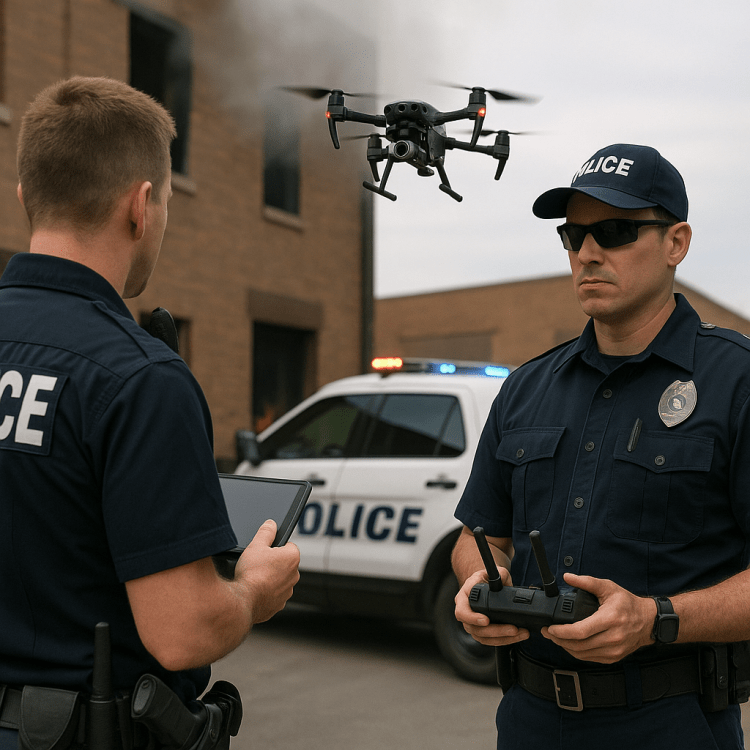



 Let's Talk About It, Lewis!
You must be logged in to post a comment.